Clive.exe
A downloadable tool for Windows
Hey,
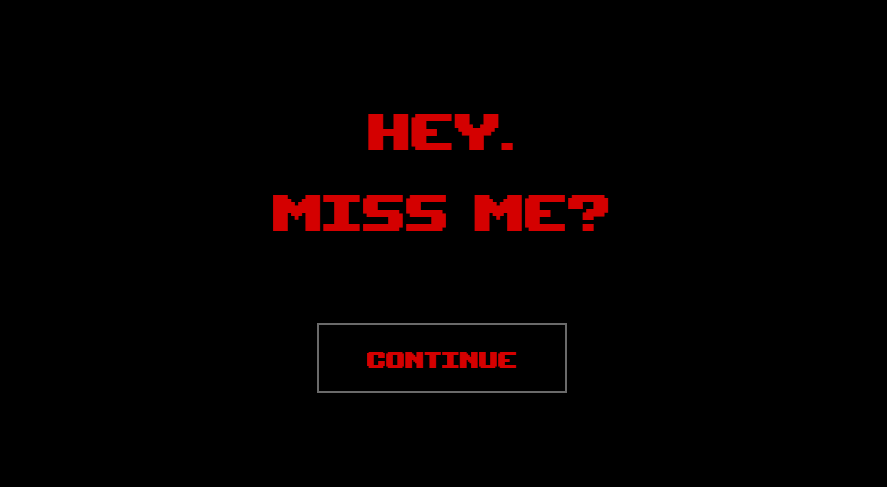
I'm back from dead to fix your sleep schedule I messed with the nightmares for three years.
From now on, I'll be around... in your computer at least.
About Clive.exe
Clive.exe is a small fanmade desktop reminder inspired by a visual novel I love; Fallen Devotion.
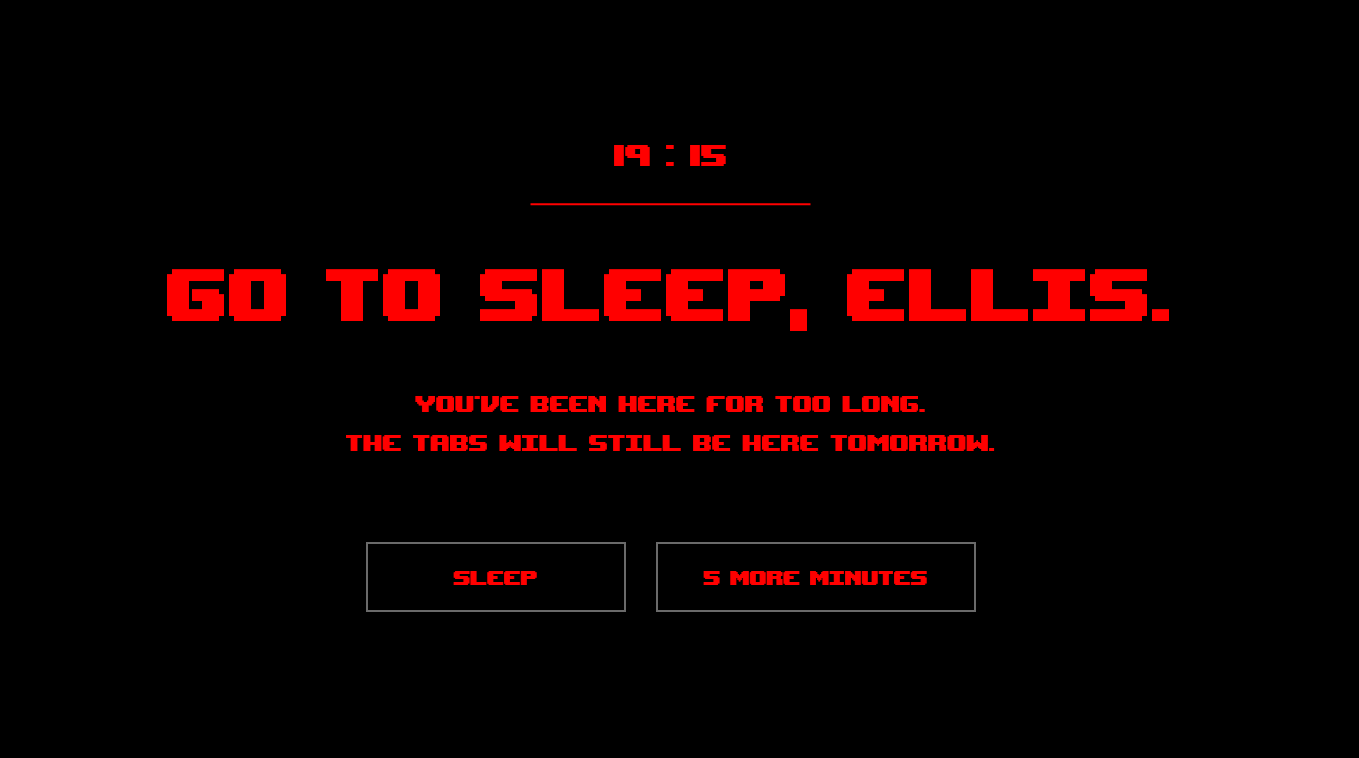
My sleep schedule has always been a mess. I was talking with a friend how would it be if Clive glitch our computers and send us popups in the middle of the night to tell "Go to sleep already". I would like to have an app like that so I decided to create it myself. Instead of using a classic reminder app (I did, It didn't work), I thought it would be much more effective if the reminder came from a character I hyperfixated. While I develope this app I prioritized two things: making it look like a virus (iykyk) and making it act like Clive.
I started making this as a personal tool, but while working on it I realized there are probably many other Fallen Devotion players who miss Clive just as much as I do. So I decided to share it with the community. v1.0 might feel basic, I had some concerns about sharing it as it is but I know that if I wait for it to be perfect before sharing, I will never be able to share it later. I can at least say that development is still ongoing, so be ready!
How it works
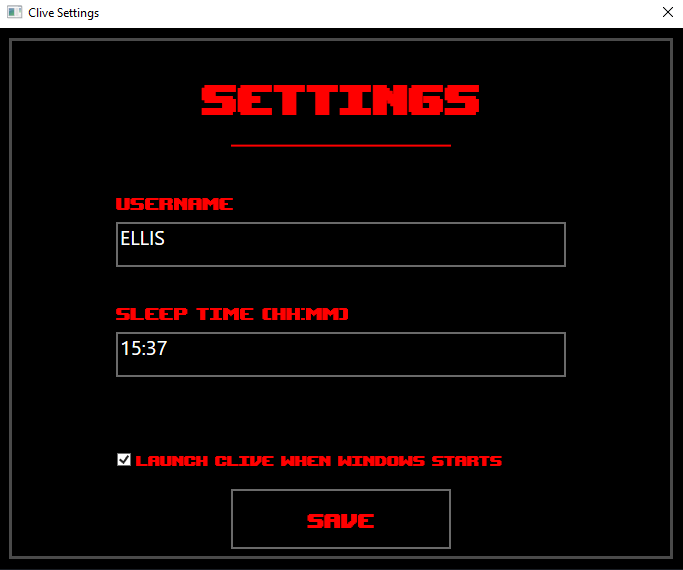
After running CliveApp.exe, Clive's cat pendant will appear on your system tray. You can turn off the app or change the settings from there.
During the first launch, Clive will ask for your name and the time you want to be asleep. He will check on you as he always do, and give you a heads up if you miss your sleep time.
As an example:
Sleep Time: 23:00
Reminder: 00:00
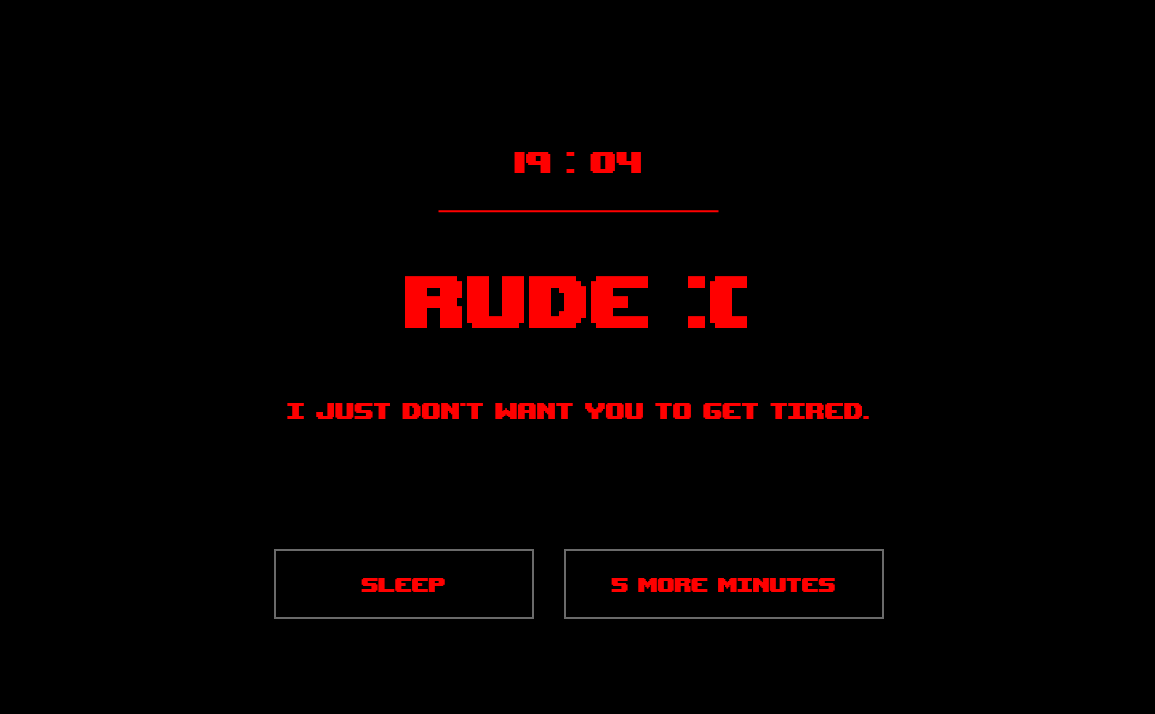
When the reminder appears you can choose either SLEEP or SNOOZE.
But please don't try to ignore him. He will get upset.
! Before you start
Please move the application folder to a permanent location before enabling automatic startup. Do not keep the app folder inside your Downloads folder or run it directly from the ZIP archive.
Once Windows Startup is enabled, Windows will try to launch Clive from its current location every time you sign in. If you later move or delete the folder, automatic startup will no longer work. If you have to move the folder at some point, please do it after disableing Windows Startup from settings menu.
v1.0 and looking ahead
This is Clive.exe's first public release and also the first complete application I've ever published. I'm sure there are still things I can improve and perhaps even a few bugs I haven't discovered yet.
I am still developping this and I have plenty of ideas I'd love to bring to future versions. If you decide to try Clive.exe, I'd genuinely love to hear your thoughts. Whether it's feedback, bug reports, feature suggestions, or simply sharing your experience, every comment helps me improve the application and shape future updates. Thank you for supporting this little fan project of mine from the very beginning. I hope you'll enjoy watching Clive.exe grow over time!
Special thanks <3
I also want to send my appreciation to the creator of Fallen Devotion for creating such an enjoyable story and characters even with a DEMO. That game and Clive means a lot to me and inspires me so much.
If you're here because you also enjoyed Fallen Devotion, hope you enjoy having Clive around while we all wait for the full game.
And if Clive manages to convince you to go to bed just a little earlier...
then I can tell my app works pretty fine:D
Sleep well.
Credits
SFX : pixabay
! This application is a fan made project inspired by the visual novel Fallen Devotion. It is an independent fan project and is not officially affiliated with or endorsed by the creator of Fallen Devotion.
Download
Install instructions
1. Download and extract the ZIP file
2. Move the extracted folder to a permanent location before running the application. Do not run CliveApp.exe directly from the ZIP archive or keep it in your Downloads folder if you plan to use it regularly
3. Launch CliveApp.exe. Clive's cat pendant will appear on your system tray.
4. During the first launch, Clive will ask for your name and the time you would like to be asleep. After saving the information , the app will start running on background.
5. (recommended) If you want the app to start automatically whenever Windows starts, enable "Launch when Windows starts" in the Settings window. So you don't have to launch it manually everytime. Please do this after putting the folder to a location you won't change later.
6. This application is built with .NET 8 as a self-contained release, so no additional runtime installation is required.
Leave a comment
Log in with itch.io to leave a comment.